Tuesday, 8 November 2011

Enzo modelling pt 1

Today I began modelling my Enzo Ferrari.I stated by putting the images Id taken into phoshop and lining them all up to me made into a template in max, which I then made (tedious work, but incredibly helpful).
After setting this up I began to model. The best way to model an non organic object it usually to break it down and model each part seperate then rejoin them, and this is no exception, but due to the way the Enzo is designed I struggled to find where I could break it down.


After a short discussion with Lee I started working on it, using box modelling. After building up a basic shape of the car using seperate geometry I need to start welding it together, which I shall begin shortly.

Mudbox, Maps and a very ugly man

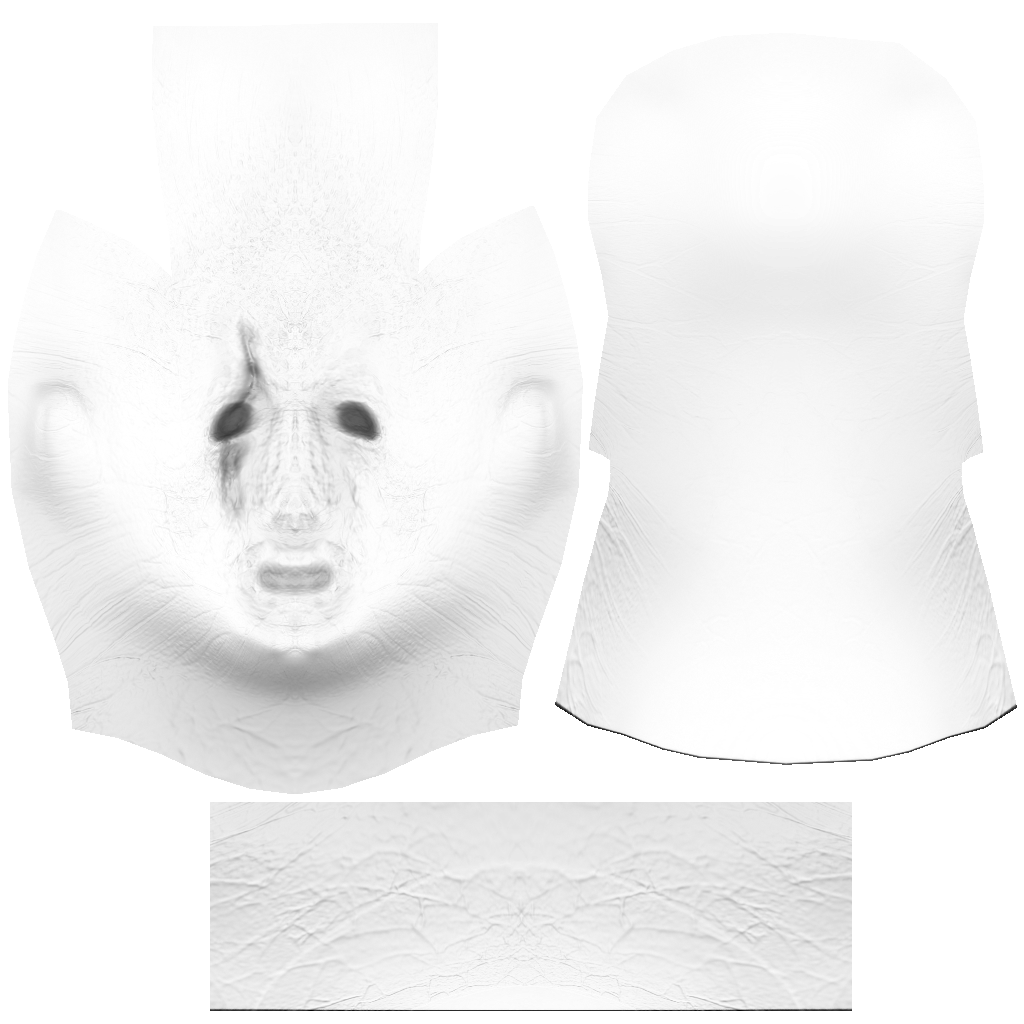
This is an ambiant occlution map. It uses a bright colour to pick up shadows in the mesh that can then be overlapped over the final material to give really nice lighting and shadow effects to a final render.
We used mudbox for some sculpting practice on a basic head for an hour or so and then practived bringing it back into 3DS max. The above image is what rendered out.

Monday, 7 November 2011

Moshing, moshing and cannons.


Today we did some more animation practice, starting with a conceptionalised idea of a cannon firing at a bell. I modelled the whole scene myself and used key animation throughout. I then decided to use CAT to try and make some of the motions needed for my animation project, namely headbanging. Ive aniamted the guitarist and vocalist in a manner I find apealing and will likely use in my final animation.

Tuesday, 1 November 2011

Displacement maps.

Today we covered displacment mapping, how it works, and how to use it. Displacement maps work in a similar way to bump maps, but where a bump map just gives the illution of geometry, a displacement map acttually changes the geometry of a model. This would be helpful for scenes with lighting as geometry reflects light properly.

Monday, 31 October 2011

Research for Modelling


For my modelling unit I have decided to try modelling a car, as I have never tried to model one before. I have chosen to try and model an Enzo Ferrari 2002 as, not only is it my favorite car, it has a very interesting body shape that I feel will test my abilities as a modeller.
It happens I have a scale model of an Enzo so I feel it will help me greatly in the modelling process. I have taken images of the side, front, rear and top view of the model to use as a stencil in 3D max when I begin the modelling.


animation practice

Wooooooo animation!
We were told to practice some simple animation like someone walking down the stairs so I used a mech rig. Once completing the simple steps lee suggested pelvic animation (weight and sway) which added to the animation. I then went abit overboard with rendering and using particles to animate bullets being fired from the gun. After rendering it out I used premier pro to add some sound effects because....I could.

Saturday, 29 October 2011

Little man.

 So for homework lee gave us a basic model of a bipedial man, to unwrap, map, rig and animate.
 Lets do this.
First unwrap.
 Yaaay! to Mudbox for texturing and paint
Lookin fine, time to export the paint and normal layers (yes he's green)
Huzzar time for the rigging/skinning.
During this point I think I came across this error and I could not rectify it, so my skin didnt look perfect in some places and I had no way of repairing it.
I then made a basic scene (thowing in alot of the preset foliage) to show him running through a field, and renderd it out.